Model Training Panel
The Model Training panel contains on Inputs tab, on which you can add the required training data and select a mask, as well as set the data augmentation and validation settings, and a Training Parameters tab, on which you can set the training parameters. An additional tab, Advanced Tools, is available for inspecting patches and generating augmented training sets and masks.
Click the Go to Training button on the Deep Learning Tool dialog to open the Model Training panel, shown below.
Model Training panel
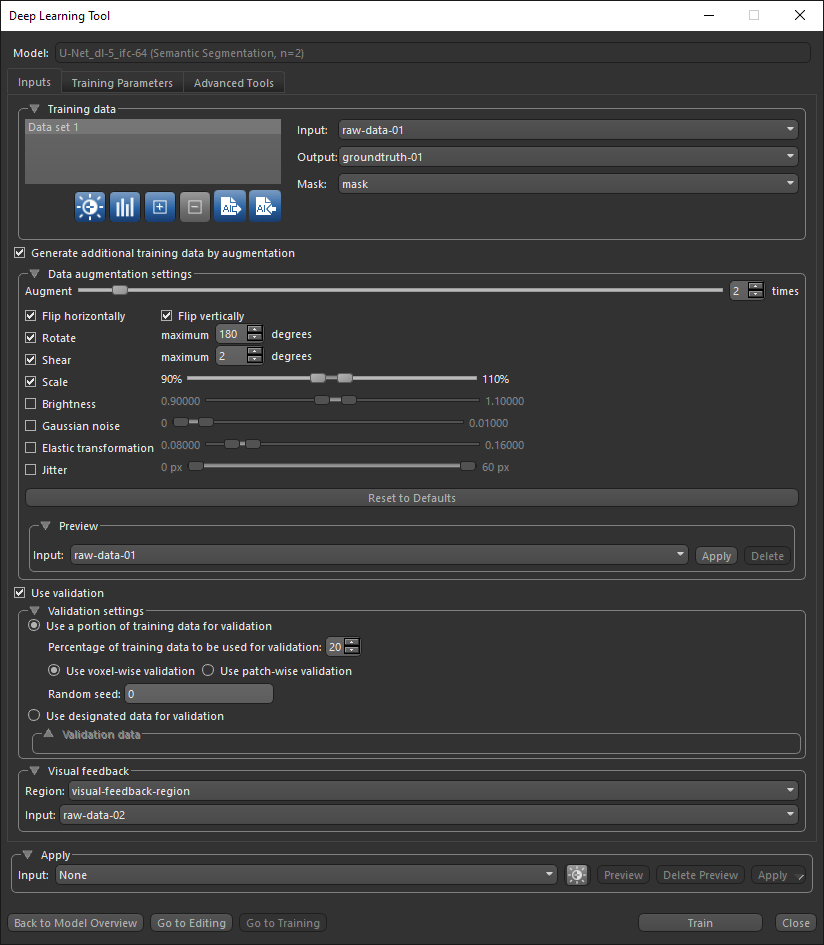
The information presented on the Model Training panel, and all other panels, is associated with the currently selected deep model (see Model Overview Panel).
| Description | |
|---|---|
| Model | Indicates the currently selected model. |
| Inputs tab | Lets you choose a training set(s), as well as set the data augmentation and validation settings (see Inputs Tab and Settings). |
| Training Parameters tab | Includes a set of basic settings for training a deep model, as well as advanced settings related to the selected optimization algorithm and metric and callback functions (see Training Parameters Tab and Settings). |
| Advanced Tools tab | Includes tools to inspect patches, generate augmented training sets, as well as to generate train, validation, and test masks (see Advanced Tools Tab). |
| Apply | You can generate previews to evaluate a model's performance before processing your data, as well as apply trained models to selected datasets, with the options in the Apply box (see Previewing Model Inference and Applying Deep Models). |
